
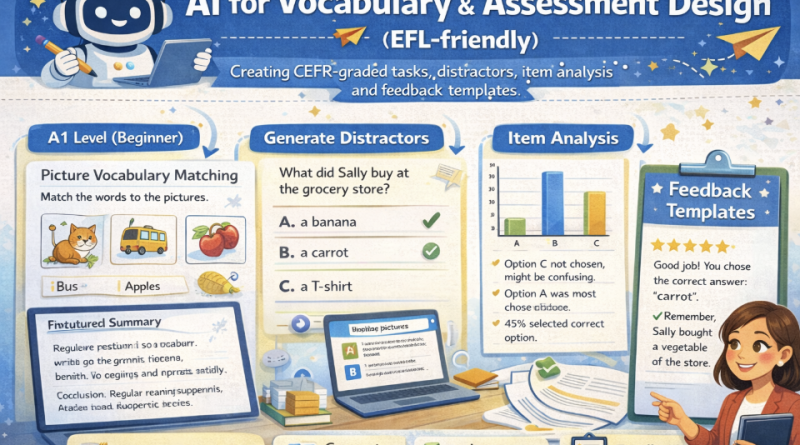
AI for Vocabulary & Assessment Design
AI for Vocabulary & Assessment Design
Create CEFR-graded vocabulary tasks, build high-quality distractors, generate feedback templates, and get item analysis ideas (difficulty, discrimination, distractor efficiency) — with classroom-safe AI prompts. Ends with a problem-solving scenario for real test revision.
Mic: Off
Tip: For best voice options, use Chrome/Edge. If voices don’t appear yet, click once on the page and wait 2–3 seconds.
1) Outcomes
By the end, you can…
- Design CEFR-graded vocabulary tasks (A2–C1).
- Create distractors that are plausible but wrong (avoid “obvious” options).
- Draft feedback templates (accuracy + strategy + next step).
- Use item analysis ideas to revise tests (difficulty/discrimination/distractor efficiency).
AI safety rules
- No invented “official CEFR lists” unless you provide them.
- Keep tasks aligned to your curriculum and context.
- Do not generate high-stakes exams without review and piloting.
- Always run teacher checks: ambiguity, bias, and answer key validity.
Golden rule: Use AI to produce options fast — then you do the validation: clarity, level, key accuracy, and fairness.
2) Conversation (Assessment Coach)
Build a robust prompt for AI-assisted assessment design: CEFR level, task type, constraints, and quality checks.
Tip: For vocabulary items, specify the target word sense, part of speech, and a short context sentence.
3) Reading + Comprehension Quiz
Reading: Using AI to design vocabulary tasks and tests (responsibly)
1 AI can help teachers generate vocabulary activities quickly, but the output must be checked for accuracy and level.
For EFL assessment, a good practice is to define the target CEFR level, task type, and constraints (topic, word list, grammar).
The teacher then reviews items for ambiguity, cultural bias, and answer-key validity.
2 CEFR-graded tasks differ in complexity. At lower levels, tasks should use high-frequency words, short stems, and clear contexts.
At higher levels, items can include collocations, polysemy (multiple meanings), and academic register. However, difficulty should come from
language ability, not from confusing instructions.
3 Distractors are a common weakness in multiple-choice questions. Good distractors are plausible for learners at the target level,
match the same part of speech, and are wrong for a clear reason. Weak distractors are obviously incorrect or unrelated.
AI can propose distractors, but the teacher should test them against common learner errors.
4 After a quiz, item analysis helps teachers improve the test. If most students answer correctly, the item may be too easy.
If high-performing students miss the item, it may be ambiguous or miskeyed. Distractor analysis can show whether wrong options attracted learners
or were ignored. Even simple analysis (percent correct + option counts) can guide revision.
5 Feedback templates make assessment more useful. Effective feedback states (a) correctness, (b) brief explanation,
(c) strategy tip, and (d) next-step practice. AI can help draft feedback in friendly teacher language, but feedback must remain aligned
with learning goals and should not shame learners.
Comprehension check (choose the best answer)
4) Design Toolkit (CEFR tasks, distractors, feedback, item analysis)
CEFR task ideas (EFL-friendly)
Distractor rules (MCQ quality)
Item analysis (quick classroom version)
Feedback templates (teacher tone)
Worked mini example (target word + item + feedback)
5) Prompts + Examples (Copy & Adapt)
Ask AI to output items in a table with: CEFR level, skill, stem, options, key,
rationale, and distractor rationale.
Prompt 1 — CEFR-graded vocabulary tasks
Prompt 2 — MCQ with high-quality distractors
Prompt 3 — Feedback templates
Prompt 4 — Item analysis & revision plan
Example output style (one item)
6) Listening (Two Google Voices) — “Better distractors, fairer tests”
Listen to two teachers discussing CEFR grading, distractors, and item analysis. Then answer the questions.
7) Assessment Lab (Build items + feedback)
Paste your target words (or a short list) and generate draft tasks. This demo uses heuristics (no external AI calls).
Then copy the Safe AI prompt to refine wording and distractors in your AI tool.
A) Target vocabulary (one per line)
Tip: Add part of speech in parentheses to improve distractor quality.
B) Settings
Generated outputs
Draft items
Feedback templates
Safe AI prompt (refine items + distractors + feedback)
8) Problem-solving (End-of-lesson task)
Scenario: You are teaching a B1 EFL class. Your 10-item vocabulary quiz shows problems:
- Items 2 and 7 were answered correctly by 95% of students (too easy).
- Item 5 was missed by many high-performing students (possibly ambiguous or miskeyed).
- In Item 9, two distractors were chosen by 0% of students (weak distractors).
A) Your revision plan (3–6 bullets)
B) Rewrite ONE item (stem + 4 options + key + rationale)
C) Feedback message for a student who chose a common distractor
Progress
0
Activities completed
0%
Average score
0
Quality checks used
Saved locally in your browser (local storage).