AI-assisted Reading: Summarizing & Note-making
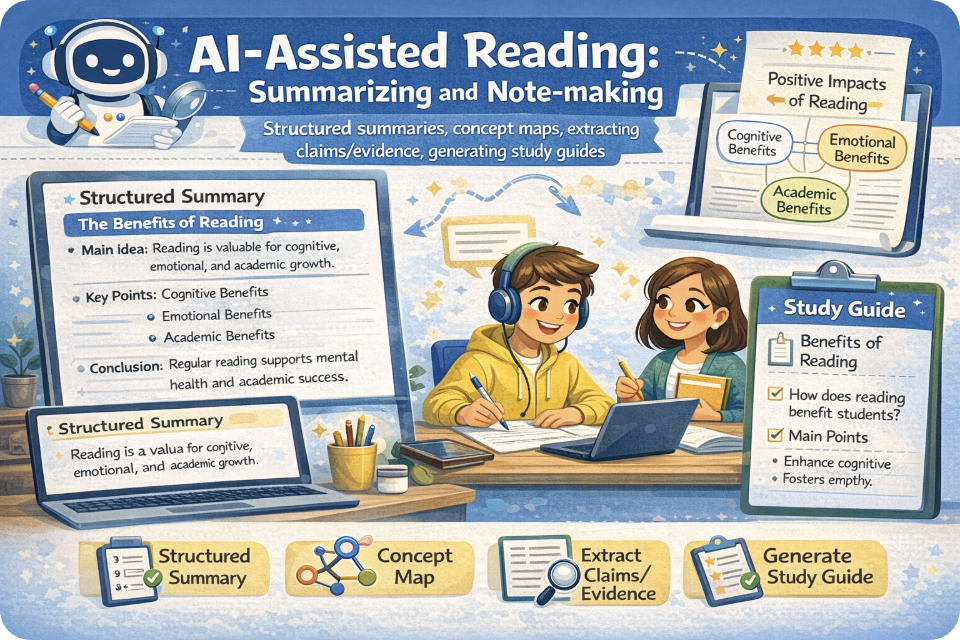
AI-assisted Reading: Summarizing & Note-making
Practice structured summaries, build a concept map, extract claims & evidence, and generate a study guide. Includes conversation, prompt examples, reading text, MCQ quiz, and a two-speaker Google Voices dialogue.
Mic: Off
Tip: For best voice options, use Chrome/Edge. If voices don’t appear yet, click once on the page and wait 2–3 seconds.
1) What you will learn
Core skills
- Structured summary (gist + key points + takeaway)
- Claim–Evidence extraction (what is asserted vs what supports it)
- Concept mapping (nodes + labeled links)
- Study guide generation (questions, key terms, common confusions)
AI safety rules (non-negotiable)
- No invented facts, numbers, or citations.
- Quote only what exists; otherwise paraphrase.
- Label uncertainty (“Not stated in the text”).
- AI is a reading assistant, not a source.
Workflow: Read → extract claims/evidence → summarize → map concepts → generate study guide → verify with the text.
2) Conversation (Reading Coach)
Practice a safe AI-assisted reading workflow. You will answer short prompts about gist, key points, claims/evidence, and traceability.
Tip: When you use an AI tool for notes, always ask: “Where in the text is this stated?”
3) Reading + Comprehension Quiz
Reading: AI-assisted reading for summarizing and note-making
1 AI tools can support reading by helping learners turn a long text into usable learning materials. However, AI should be treated as
an assistant that helps with processing rather than as an authority that provides new information. The reader must still verify the output
against the original text.
2 A strong first step is writing a structured summary. Instead of a vague overview, a structured summary usually includes:
(a) one-sentence gist, (b) three to five key points, and (c) one implication or takeaway. This format helps students keep the main idea while
avoiding irrelevant details.
3 Another essential skill is extracting claims and matching them with evidence. A claim is what the author argues or concludes.
Evidence is the support, such as examples, data, citations, or reasoning. When learners separate claims from evidence, they can better evaluate
credibility and avoid repeating opinions as facts.
4 Learners can also use concept mapping to represent ideas visually. A concept map identifies key concepts as nodes and connects them with
labeled links such as “leads to,” “includes,” or “contrasts with.” The goal is not decoration but clarity: a map should show how ideas relate,
which ideas are central, and where the argument is weak or incomplete.
5 Finally, AI can generate a study guide from the reader’s notes. A useful guide includes: key terms with simple definitions, common
confusions, short-answer questions, and one higher-order question that requires synthesis. The safest practice is to ask AI to cite the exact
sentence or paragraph number for each claim it uses; if the evidence cannot be located, the point should be removed.
Comprehension check (choose the best answer)
4) Skills Toolkit (Templates + Examples)
A) Structured summary template
B) Claim–Evidence table template
C) Concept map prompt + format
D) Study guide template
Worked example (from this reading)
5) Prompts + Examples (Copy & Adapt)
Use rule: Ask for traceability. If the tool cannot point to where an idea is stated in the text, it must label it “Not stated.”
Prompt 1 — Structured summary (with paragraph trace)
Prompt 2 — Claims & evidence extraction (table)
Prompt 3 — Concept map (nodes + labeled links)
Prompt 4 — Study guide (questions + common confusions)
Mini example (input text → expected output style)
6) Listening (Two Google Voices) — “Don’t let AI hallucinate your notes”
Listen to two instructors discussing structured summaries, claims/evidence, and concept maps. Then answer the questions.
7) Reading Lab (Paste a text → build notes)
Paste a text and generate: structured summary, claims/evidence, concept map, and a study guide.
This demo uses built-in heuristics (no external AI calls). Copy outputs into your AI tool with a safe prompt.
A) Paste your reading text
Voice input: If your mic is on, speaking will append text here in the Lab view.
B) Choose output settings
Generated outputs
Structured summary
Claim–Evidence pairs
Concept map (text format)
Study guide
Safe “AI prompt” you can copy into any tool
Progress
0
Activities completed
0%
Average score
0
Safety checks used
Saved in your browser (local storage). Switching browsers/devices resets progress.